
Video & Photo Analysis
Upload photos or videos of your technique for AI-powered analysis with skeleton tracking and professional comparisons.
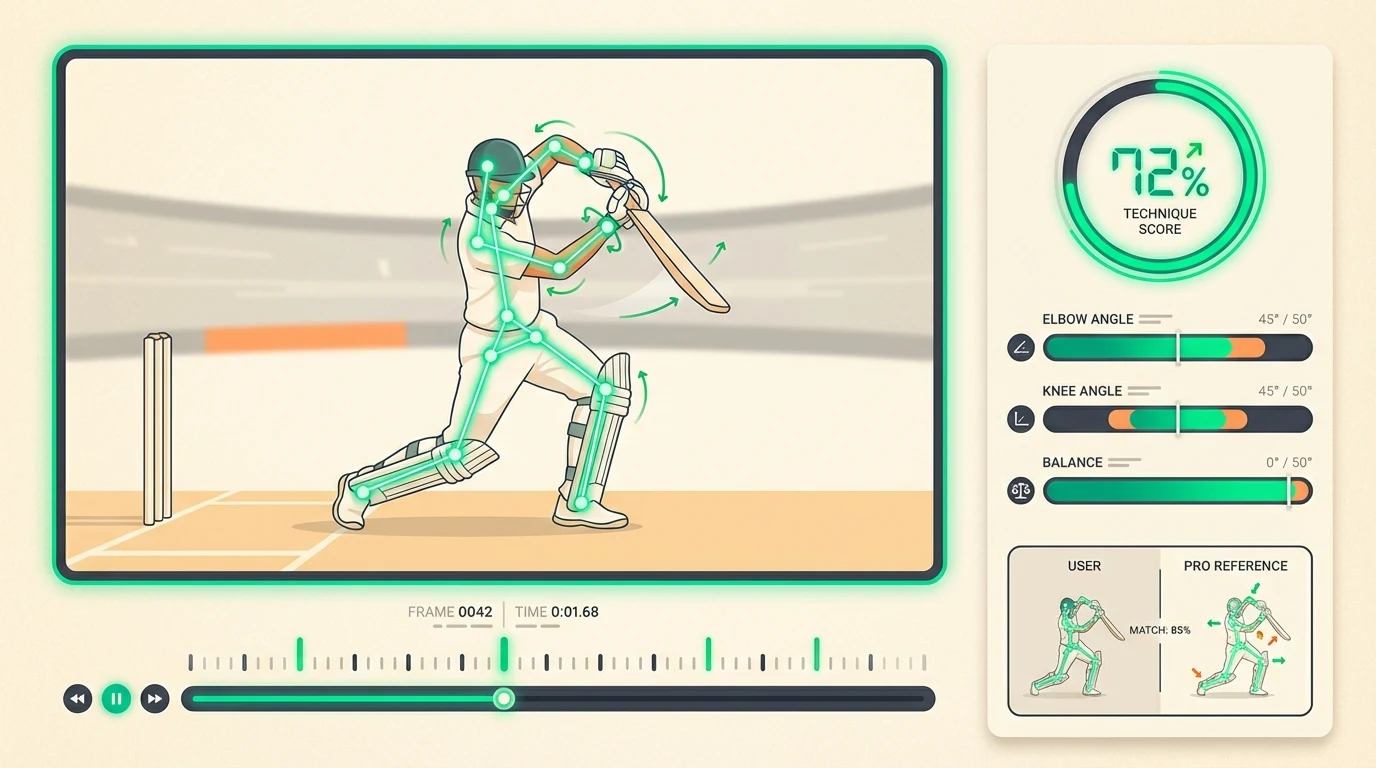
Yorker can analyse photos and videos of your cricket technique, giving you detailed feedback on body position, joint angles, and areas for improvement.
How to upload
There are two ways to get your technique analysed:
- In a coaching conversation — Ask the AI coach to analyse your technique and upload a photo directly in the chat. You will receive inline feedback as part of the conversation.
- Technique Lab — Go to the Technique Lab for a more detailed, data-driven analysis with full skeleton overlays and radar charts.
What gets analysed
When you upload a photo or video frame, the AI:
- Detects your body — Maps 17 key body landmarks (joints, head, hands, feet)
- Identifies the shot/action — Determines whether you are playing a drive, pull, bowling, fielding, etc.
- Matches a reference — Finds the closest professional reference pose from a library of 90+ positions
- Scores your technique — Calculates an overall percentage score and individual scores for key angles
- Generates feedback — Provides specific, actionable improvement suggestions
What to upload
Photos
Best for single-moment analysis — capture the exact point of contact (batting) or release (bowling).
- Use your phone's burst mode and select the best frame
- Side-on angle for batting, front-on or three-quarter for bowling
- Full body visible, head to feet
- Good lighting, minimal background clutter
Videos
Video analysis extracts key frames automatically. Upload a short clip (5–15 seconds) of a single delivery or shot.
Tip: Record in slow motion (120fps or 240fps) on your phone for much cleaner frame extraction. This is especially useful for fast bowling actions where the release point lasts only milliseconds.
Analysis history
Every analysis is saved to your account. You can review past results in the Technique Lab or in your coaching conversation history. Comparing analyses over time shows your improvement trajectory.
Allowance by plan
Video clip analyses are metered per month, and each plan has a cap on clip length:
| Plan | Clips per month | Max clip length |
|---|---|---|
| Free | 1 | 30 seconds |
| Pro | 4 | 2 minutes |
| Elite | 12 | 5 minutes |
See Subscription & Billing for full plan details.