
Documentation
Technique Lab
Advanced technique analysis with skeleton overlays, joint angles, and professional comparisons.
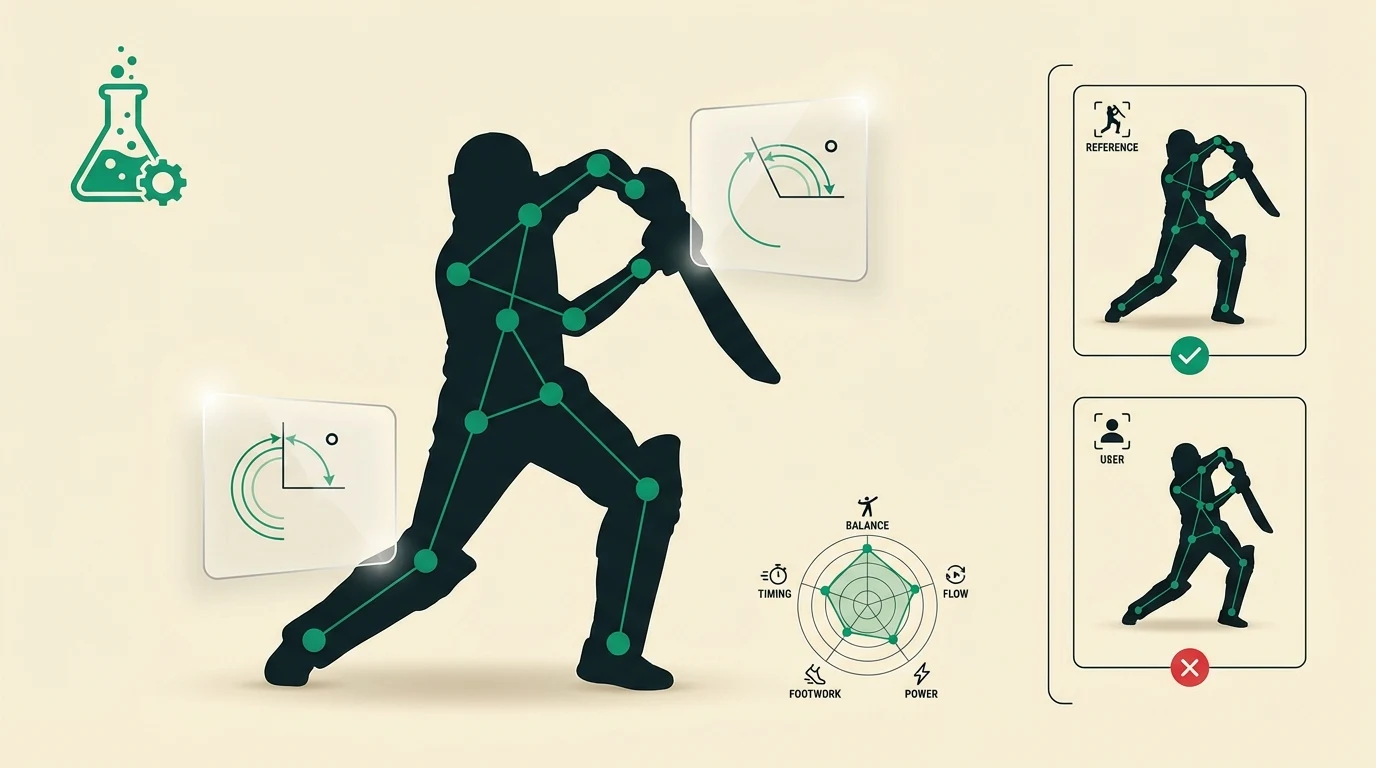
The Technique Lab is where you go for deep, data-driven analysis of your cricket technique. It builds on the basic pose analysis with more detailed breakdowns and interactive comparisons.
Accessing the Technique Lab
From the sidebar, tap More to open the additional features menu, then select Technique Lab.
What the Technique Lab does
When you upload a photo or video frame, the Technique Lab provides:
- Full skeleton overlay — 17 body landmarks mapped and connected, showing your exact body position
- Joint angle measurements — Precise degree measurements at every major joint (shoulders, elbows, hips, knees, ankles)
- Professional reference comparison — Your pose displayed side-by-side with the closest matching professional reference, with differences highlighted
- Technique radar chart — A spider/radar chart showing your scores across multiple dimensions (balance, alignment, power position, follow-through)
How it differs from quick pose analysis
The Pose Analysis feature in the AI coaching chat gives you a quick score and key feedback. The Technique Lab goes deeper:
| Pose Analysis (Chat) | Technique Lab | |
|---|---|---|
| Speed | Instant feedback | Detailed analysis |
| Output | Score + 3–4 key points | Full skeleton + all angles + radar chart |
| Comparison | Side-by-side image | Interactive overlay with toggle |
| History | Saved in chat | Dedicated analysis history |
Tips for best results
- Use the same camera angle and distance each time for consistent comparisons
- The Technique Lab works best with clear, well-lit photos where all joints are visible
- Upload photos of the same shot type regularly to track improvement over time
Tip: After analysing your technique in the Lab, go back to the Coach and ask for specific drills to fix the issues identified. For example: "My Technique Lab analysis shows my front elbow is collapsing at 140°. What drills can fix this?"