
Dashboard
Your personal coaching hub — activity rings, learning streaks, daily goals, and smart recommendations.
The dashboard is the first thing you see after signing in. It brings together your coaching activity, progress, and personalised recommendations in one place.
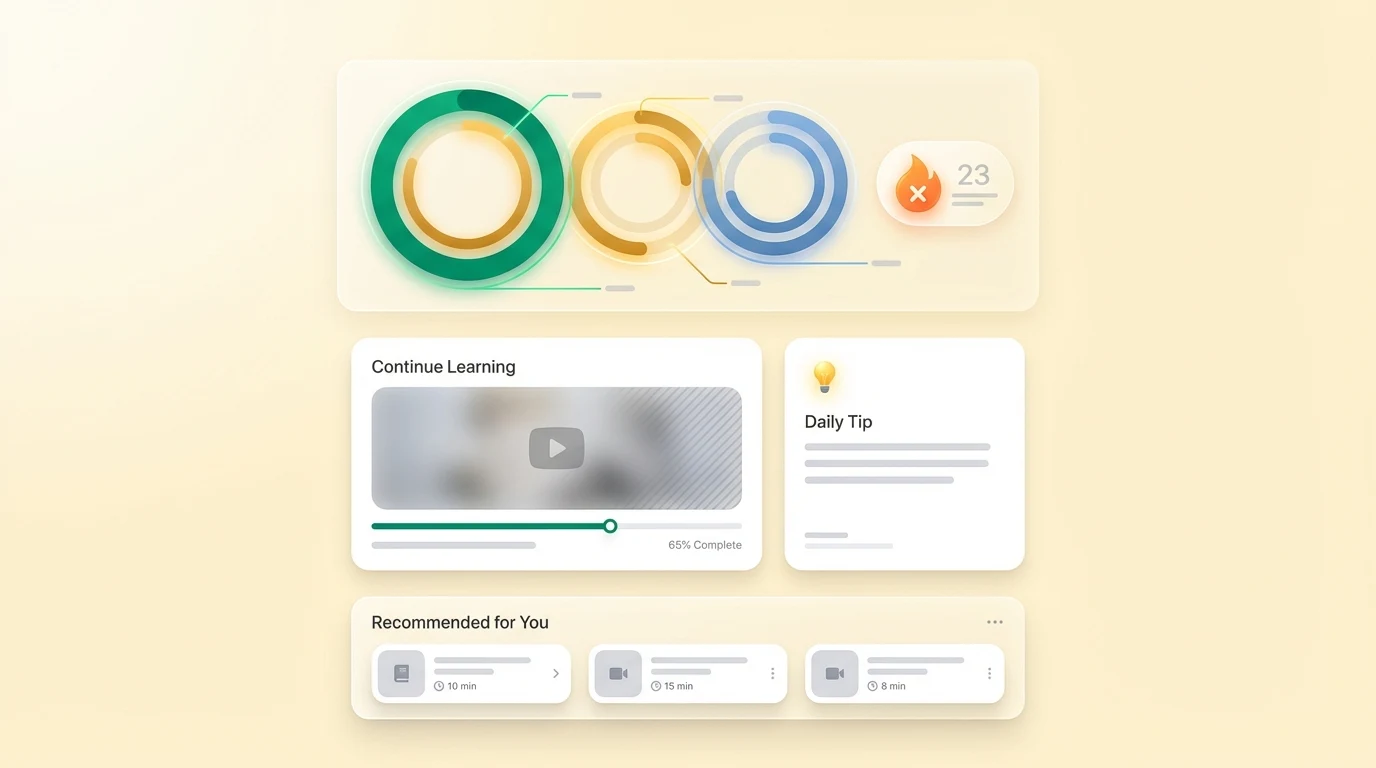
Activity rings
Three concentric rings at the top of the dashboard track your daily goals:
- Green ring — Coaching conversations (questions asked, plans generated)
- Amber ring — Practice time (time spent watching lessons or doing drills)
- Blue ring — Technique work (pose analyses completed)
Each ring fills as you hit your daily target. All three rings complete? That is a perfect training day.
Learning streak
Your current streak shows how many consecutive days you have used Yorker. The streak counter appears as a flame badge next to your activity rings.
Tip: Even a single coaching question counts toward your daily streak. On rest days, ask the Nutrition Coach about recovery meals to keep the streak alive.
Continue learning
If you were partway through a video lesson, the Continue Learning card shows your most recent lesson with a progress bar. Tap it to pick up exactly where you left off.
Next match
The Next match? line asks for the date of your next match and, if you want, who you play. Once you save it, the line shows the date and the opposition, with a change link if the fixture moves. The evening before the match your coach sends a short rehearsal: three minutes in the chat on the first ten balls and the one thing you want to do well. On the evening of the match your coach asks how it went, and the chat opens ready to log it. You get each message once per match, by email and in the app.
Your coaching journey
When your coach spots a pattern in your matches and sessions, a short journey of steps starts: a lesson to watch, a drill to try, a plan to follow, a video to upload. The Your coaching journey card shows the one step waiting for you, with a link that opens the chat ready to go. Tap Done when you have finished a step and the next one appears. The same card sits at the top of your History page.
Daily tip
A short, contextual coaching tip refreshes each day. Tips are tailored to your playing role and skill level — a fast bowler will see bowling-specific tips, while a batsman sees batting guidance.
Recommended for you
Based on your activity, skill level, and areas you have been working on, Yorker surfaces lesson and drill recommendations. These rotate as your profile evolves.
Quick actions
From the dashboard you can:
- Start a new conversation — Tap the + button or the chat input to ask the AI anything
- Upload for analysis — Jump to technique analysis with a photo or video
- Browse lessons — Head to the Lessons section to watch coaching videos